
DailyBattery
Visualize your focus energy.
DailyBattery is a focused macOS utility for people who treat their time like a limited resource. It turns your abstract schedule into a tangible battery that quietly lives on your desktop.
Most productivity tools hide in a menu bar and hope you remember them. DailyBattery is built on a simple idea: visibility drives consistency. By keeping your focus in sight — without shouting for attention — it helps you spend your energy where it matters most.
Features
Visual Energy
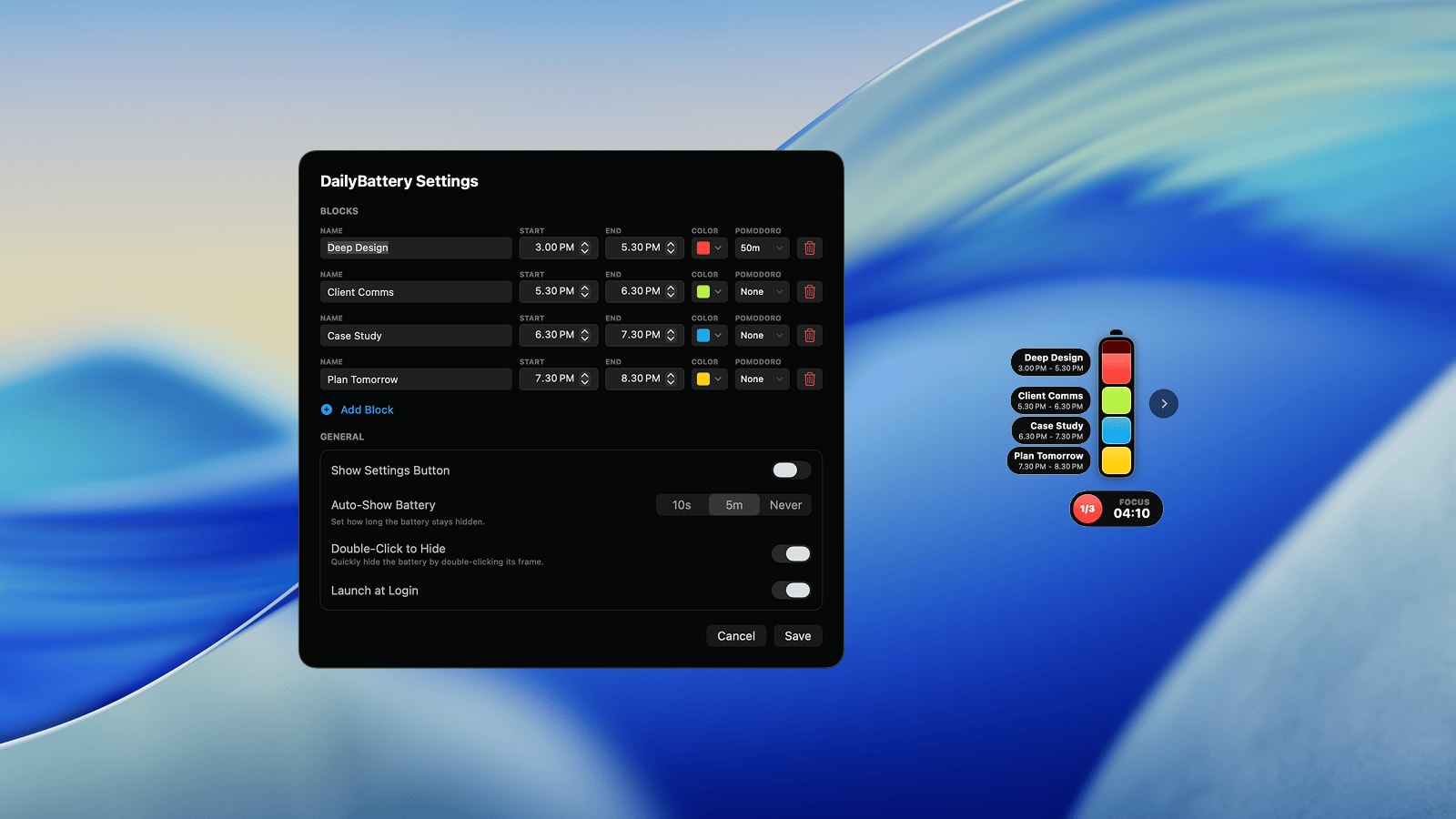
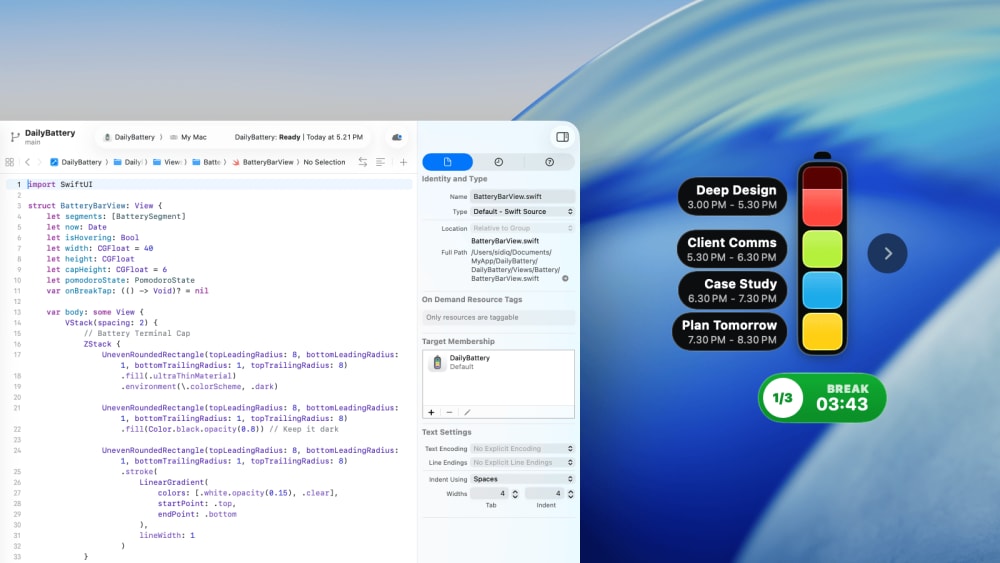
A vertical, glass-inspired battery that sits elegantly on your desktop. Watch your “charge” deplete as you invest your energy into the work that matters.
Dynamic Time Blocks
Design your day with labeled, color-coded blocks — Work, Reset, Freelance, or whatever fits your rhythm. DailyBattery adapts to your routine, not the other way around.
Built-in Pomodoro
Attach focus cycles to any block with Snap (25/5), Steady (50/10), or Endure (90/30). Each segment can have its own pace of deep work and rest.
Intentional Peace of Mind
No accounts. No tracking. No cloud. Your schedule lives entirely on your Mac. It's structure without the surveillance.
Always present, never loud
DailyBattery floats above your windows at a gentle transparency — visible at a glance, quietly out of the way when you're immersed.
Power-User Shortcuts
Double-click the frame to instantly hide or show the battery. Keep control close, without digging through menus.
Smart Validation
If your time blocks overlap, a subtle “vibrate” animation lets you know. You get a clean, realistic schedule without fiddling.
Native & Fluid
Built with SwiftUI for modern macOS, with smooth spring animations and full dark-mode support. It feels like it belongs on your desktop.
Ready to try it?
Start free and see if DailyBattery earns a spot on your desktop. Enjoy full access from day one, with optional pay-what-you-want support.
Frequently Asked Questions
Everything you need to know about the product.
More Apps
Small useful apps I build for myself, then share with others.